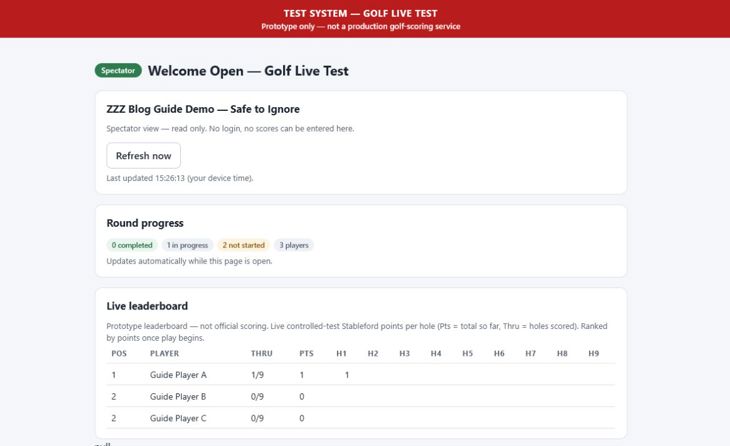
How to Run a 9-Hole Stableford Test in Golf Live Test
Golf Live Test is a controlled prototype. It is designed for a private test round: an organiser creates an event, each player receives a private scorecard link, and spectators can follow a read-only live board. It is not an official golf-scoring or governing-body handicap service.
Before You Start
- Use the organiser page at /live-test/golf/organiser/.
- Choose the round length when creating the event. It is fixed at 9 or 18 holes once the event exists.
- For a 9-hole event, enter the intended 9-hole scoring handicap. Do not automatically reuse an ordinary 18-hole playing handicap unchanged.
- Use a clear event name. Test events should be labelled clearly, for example ZZZ Demo - Safe to Ignore.
1. Create and Configure the Event
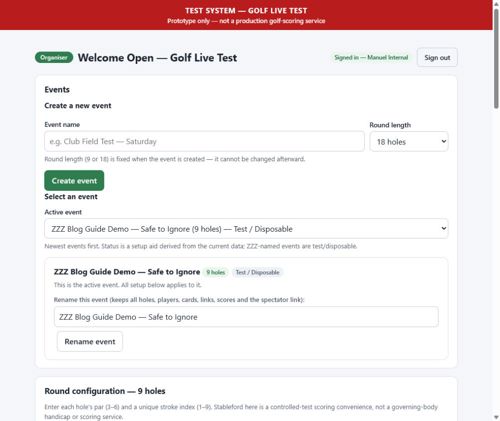
Enter an event name, choose 9 or 18 holes, and create the event. Then configure each hole with its par and a unique stroke index. Check this carefully before scorecards are shared, because the course configuration is the basis for the controlled-test Stableford calculation.
2. Add Players and Provision Scorecards
Add each player using their display name and the scoring handicap intended for that round. The organiser can then provision one scorecard for each player.
Next, issue a private player link. Treat that link as an access credential: send it only to the intended player in a private message. Do not put a player link in a public post, group chat, screenshot, or email forwarded to others. A link can be regenerated if necessary, which invalidates the earlier link.
3. Enter Scores on the Player Card
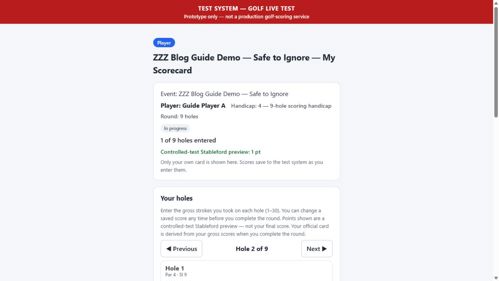
A player’s card shows the event name, player name, scoring handicap, round length, and the par and stroke index for each hole. The player enters gross strokes, then saves the score for the hole.
The card shows a controlled-test Stableford preview as scores are saved. A saved hole can be edited before the round is completed. Completion is disabled until every hole has a saved gross score, and completion locks the card.
4. Share the Spectator Board
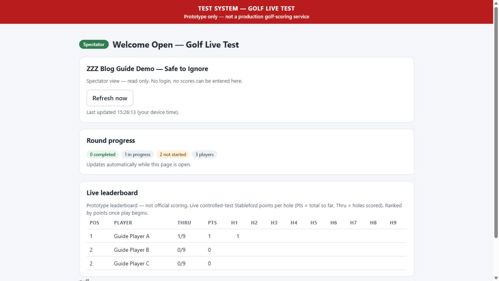
The organiser can create one spectator link for an event. This is the link to share with family and observers. It is read-only: it requires no login and cannot be used to enter scores or access organiser controls.
The spectator board shows round progress, each player’s holes completed, live points, per-hole points, and the current ranking. It refreshes automatically while open and also includes a manual refresh button.
5. Monitor and Export
Use the organiser view to monitor the player list, scorecard status, round progress, and leaderboard. Before a real round, export the selected event and store the file in two places. Repeat the export after the round for reconciliation and feedback.
Do not use the full-store reset during or before a real event. It permanently removes all live-test data. Use a separate, clearly labelled disposable event for rehearsals.
Simple Pre-Round Checklist
- Correct event selected and correct round length confirmed.
- Every hole has the correct par and stroke index.
- Every player has the intended display name and scoring handicap.
- Every player has a provisioned scorecard.
- One freshly issued player link has been tested in a separate browser or phone.
- The spectator link has been tested without organiser sign-in.
- An event-specific export has been saved in two places.
Current Scope
This controlled test supports organiser setup, private player cards, saved gross scores, a controlled-test Stableford preview, completion locking, event export, and a public read-only spectator board. It should be used to test the workflow and gather feedback, not to represent official competition results.